
Spreadsheet Screenshots → Structured CSV
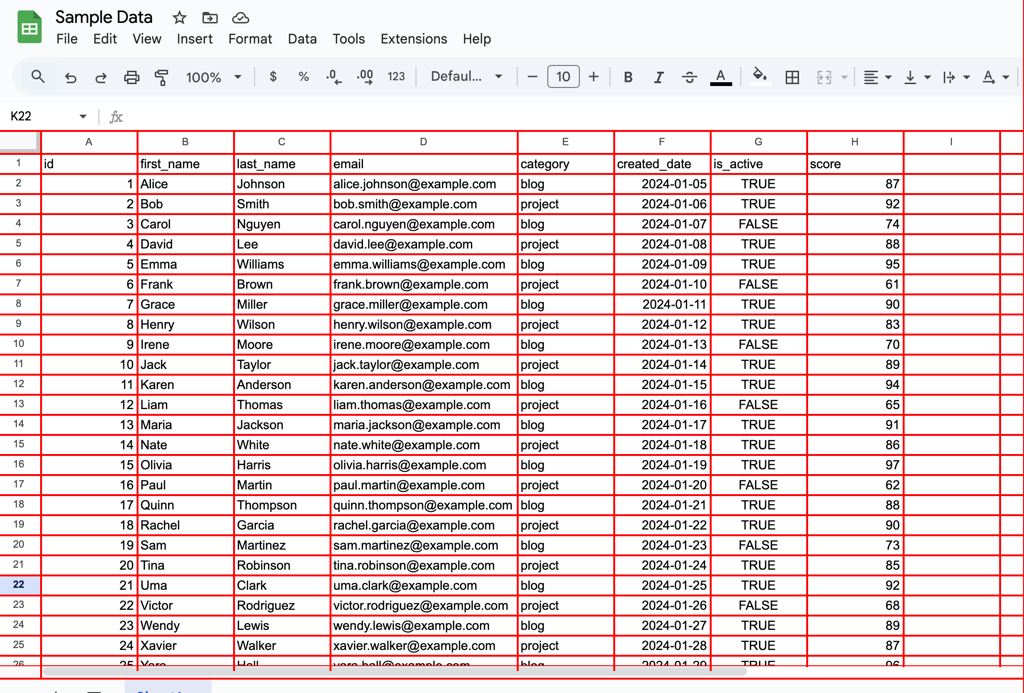
A computer-vision and OCR pipeline that converts unstructured image data into structured, machine readable tables.
Define the problem
I was presented with the task of taking screenshots of several spreadsheets and programmatically converting them into a csv file that could be imported into excel for the client to use. The screenshots were all very similar to one another but had their own idiosyncrasies. Manually translating from image to tabular data would have been time consuming and error prone. The challenge was to take image only inputs and reliably extract the information into tabular data while maintaining the original shape of the spreadsheets.
Constraints
- The input consisted only of screenshots
- The input data was similar but inconsistent layout
- Some images introduced empty columns
- OCR data is inherently noisy and misreads can occur
- The final output needed to be tabular data, not just extracted text
In one case, I intentionally allowed merged columns to pass through the pipeline and corrected them in a downstream cleanup step, prioritizing overall system robustness over brittle edge handling.
Solution Approach
My first attempt at using the table recognition feature of paddle ocr failed to produce satisfactory output. I pivoted to a “grid-first” approach, using computer vision (cv2) in order to recognize the grid layout and locate “windows” where the cells were so the OCR could focus on small well-defined regions.
- I determined the locations of the average center points for column and row lines on the x and y axes
- Derived column and row bands which allowed me to identify cells in the images
- Sliced the image base on the cell locations and ran the ocr on each cell one at a time
- Stored OCR results along with row position, column position, confidence score and bounding box metadata
- Assembled into pandas dataframe that was pivoted back into original table structure
- Flagged rows containing low-confidence scores to guide manual review
Tools and Technologies
- OpenCV (CV2)
- Paddle OCR
- Pandas
- Numpy
- Chat GPT (used as a development aid)
Results
The pipeline successfully converted the screenshots into structured csv files, making the data searchable, analyzable, and reusable.
For this project, the outputs were reviewed and combined manually since it was a small number of screenshots. The system is designed to support batch processing and could be fully automated with minimal additional work.
OCR accuracy varies depending on image quality, and some manual review remains necessary for high confidence results
Conclusion
This project reflects how I approach messy, realworld problems with a client focused approach. Taking imperfect inputs, selecting and learning the appropriate tools, and designing future-proof systems without pretending that automation is always flawless. The goal throughout was to reduce manual effort while keeping end-user needs front and center.
Examples
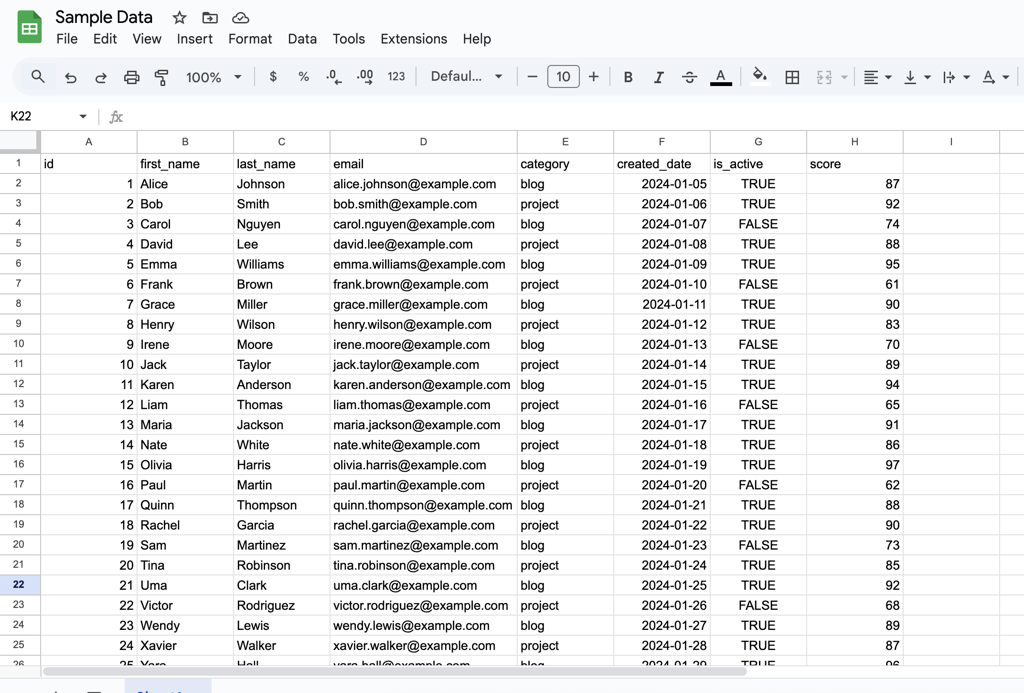
Example input of a screenshot with dummy data.
Depiction of the grid overlay detecting the columns and rows.

Raw OCR output prior to normalization and cleanup, illustrating common recognition errors and structural noise.

Final structured output after normalization and confidence-based review.
